Home / Social Media Tools / Instagram Tools / Instagram Image Enhancer

Free Instagram Image Enhancer

Adjust exposure, contrast, temperature, clarity, and vibrancy online. Professional color grading and detail recovery locally in your browser.

Drag & drop image here

or click to browse from device

Supported: .jpg, .jpeg, .png, .webp, .avif, .heic  ·  Processed locally

Add as Preferred Source

How to Enhance Images for Instagram Online — Free & Secure

Looking for a online tool that can enhance Instagram photos to really stand out? This tool can be used, here you can make a few quick adjustments to lighting and colors can change everything. Explore all our free Instagram Tools. If you need to unblur images, try our Instagram Blur Image Fixer or enlarge small photos using the Instagram Image Upscaler.

Step-by-Step Instructions

  1. Upload Your Photo: Drag and drop your image or click Select Image. We support JPG, PNG, WebP, AVIF, and HEIC files.
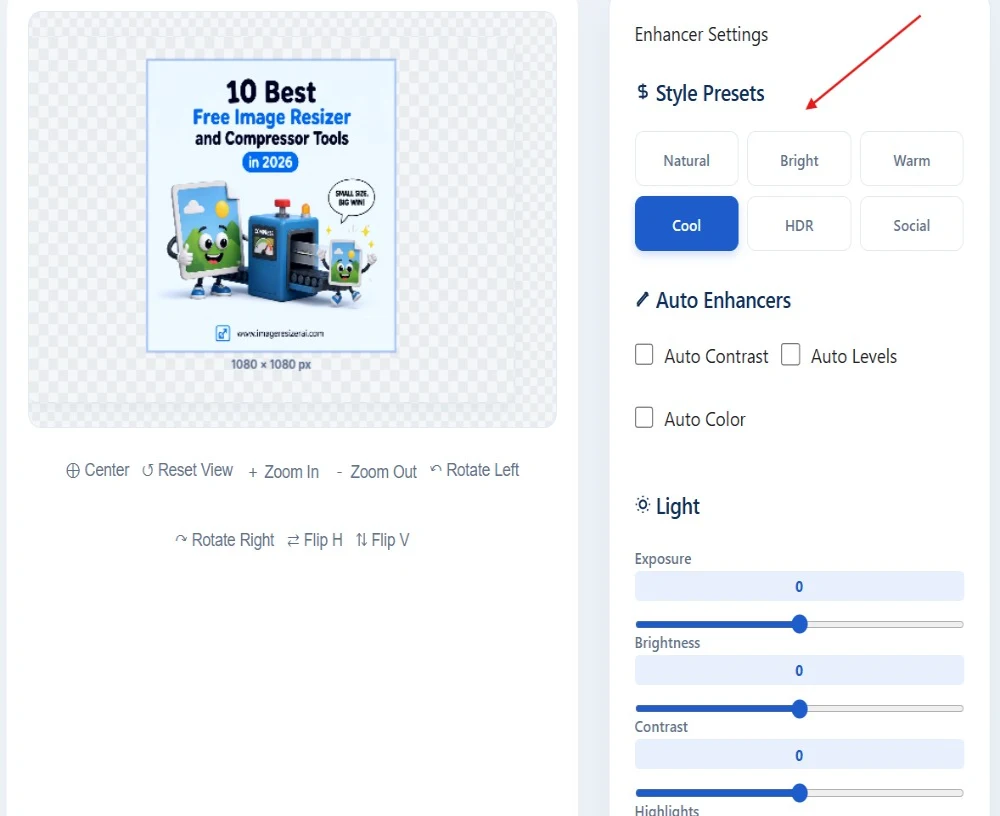
  2. Choose a preset style: Click on one of the quick style presets (HDR, Social, Warm, Cool, Bright) to instantly tune your photo's exposure and tones.
  3. Instagram Image Compressor Illustration
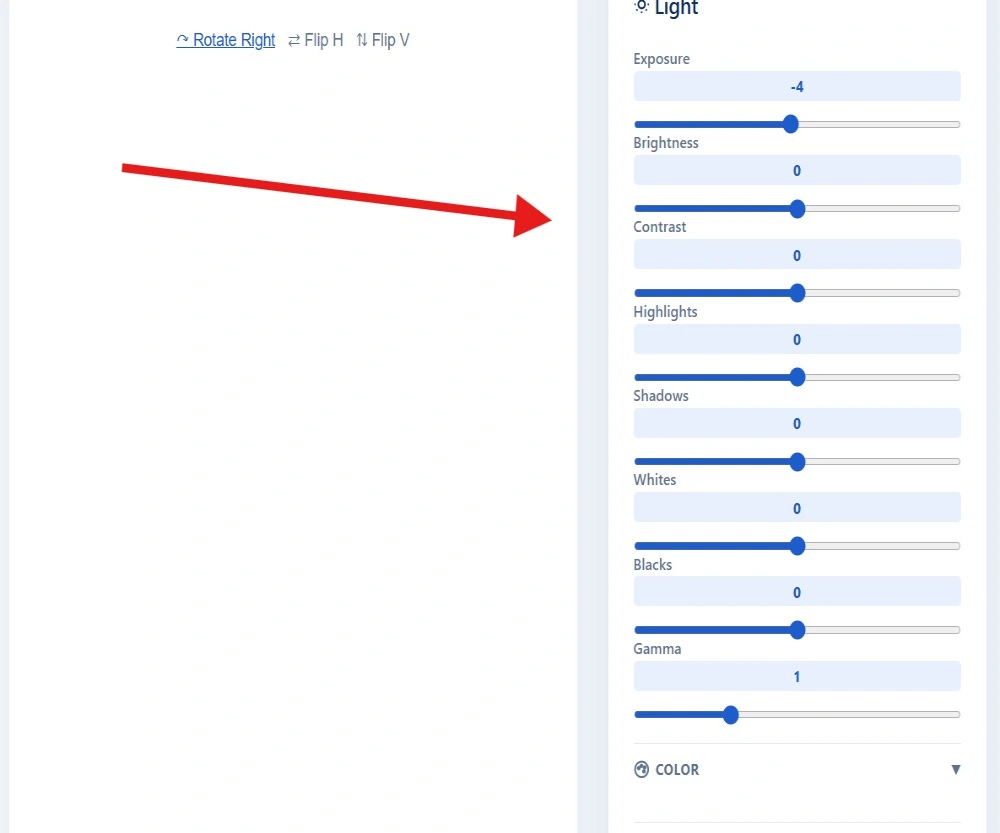
  4. Customize your adjustments: Manually fine-tune exposure, brightness, shadows, temperature, or apply Clarity and Texture for fine sharpening.
  5. Instagram Image Compressor Illustration
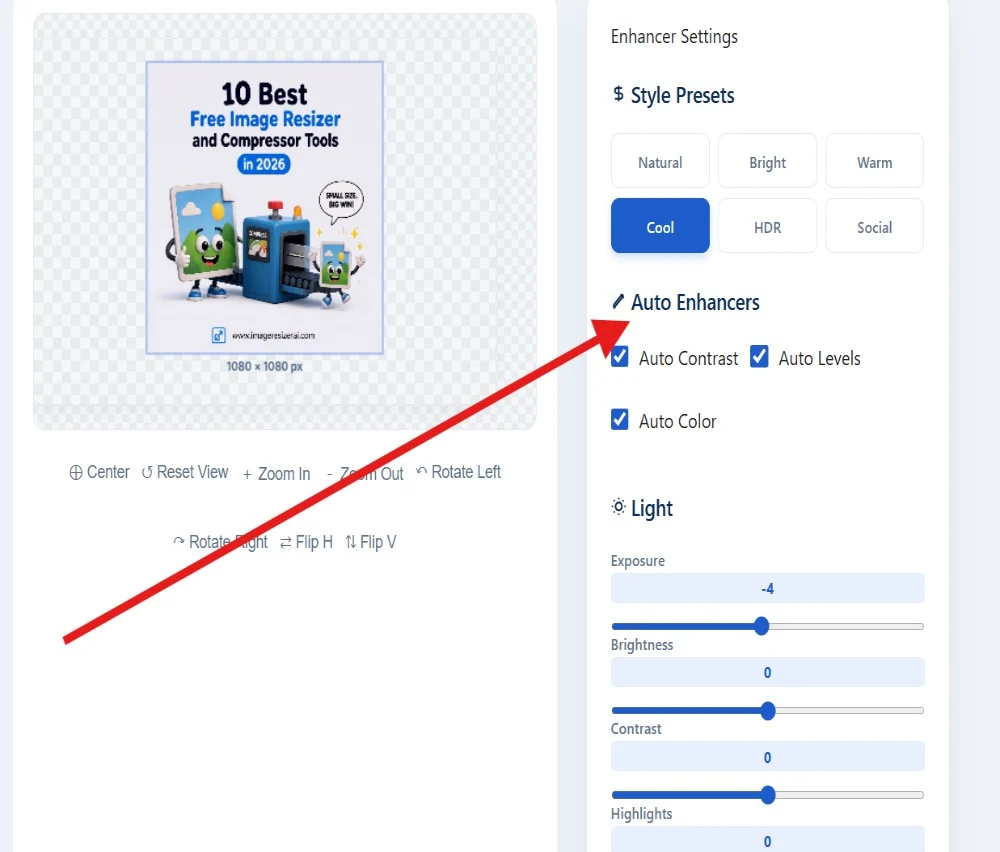
  6. Use Auto Enhancers: Check Auto Levels, Auto Contrast, or Auto Color to balance shadows, highlights, and color balances using mathematical histograms.
  7. Instagram Image Compressor Illustration
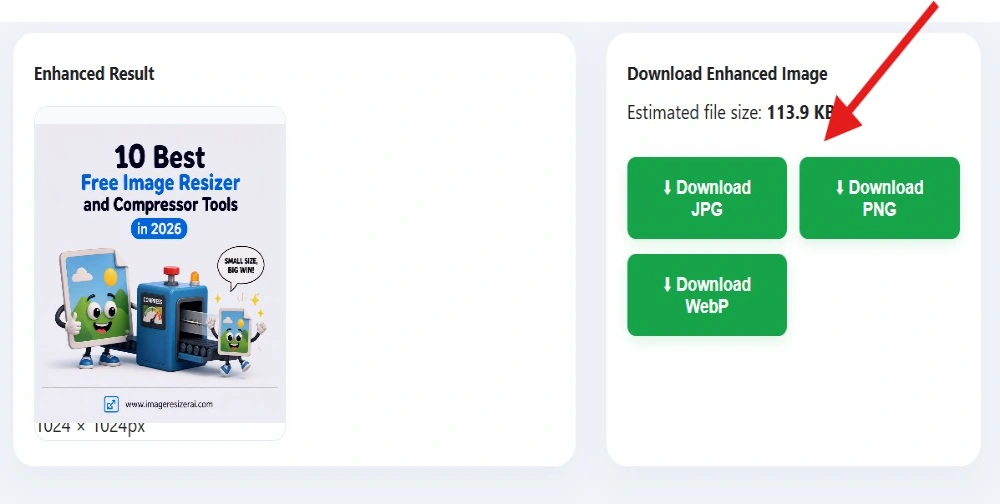
  8. Compare and Export: Drag the divider on the Before/After slider to preview your changes. Download your enhanced photo as a high-quality JPG, PNG, or WebP.
  9. Instagram Image Compressor Illustration

Key Benefits of Client-Side Editing

Most online photo editors ask you to upload your images to their servers before you can start editing. This tool works a little differently. Everything happens right inside your browser using your own device, so you can see changes almost instantly without waiting for uploads or processing. Since your photos never leave your device, you stay in complete control of your privacy from start to finish.

Got questions? Find conversational answers below.

Yes. The tool runs 100% locally in your web browser using HTML5 Canvas and Javascript. Your files are processed entirely in memory on your local machine and are never uploaded to any server or cloud database.

The Clarity adjustment enhances local midtone contrast. By stretching contrast specifically in mid-range luminance levels, it brings out structural definitions and details without blowing out shadows or highlights.

Yes. iPhone HEIC and HEIF formats are automatically decoded and converted locally, allowing you to edit and export them as standard JPG, PNG, or WebP files ready for Instagram.

⭐ User Reviews & Feedback

See what creators and marketers think of our 100% browser-based tools.

View All Reviews →
Love our free tools? Review us on Trustpilot!
Share your feedback on Trustpilot to support 100% private browser processing.
⭐ Review Us on Trustpilot →
A
andrew
Aug 20, 2026
★★★★★
Image Resizer AI

“best service”

SJ
Sarah Jenkins
Aug 19, 2026
★★★★★
Instagram Border Maker

“The Instagram Border Maker saved me so much time! Super clean output and 100% private in-browser processing.”

DM
David Miller
Aug 18, 2026
★★★★★
Instagram Metadata Remover

“Instant EXIF and GPS metadata stripping without losing image quality. Essential tool before posting photography online.”

ER
Elena Rostova
Aug 17, 2026
★★★★★
Instagram Color Palette Extractor

“Loved the 1-click PNG swatch export and CSS variables generator! Made matching post color schemes effortless.”

MV
Marcus Vance
Aug 16, 2026
★★★★★
Instagram Collage Maker

“The 2x2 grid collage builder with live preview and custom spacing is insanely fast and mobile-friendly.”

PS
Priya Sharma
Aug 15, 2026
★★★★★
Instagram Image Size Calculator

“Auto-detecting image dimensions and showing instant crop/fit compatibility badges for all Instagram formats is genius!”

💬 See All User Testimonials & Reviews →